PokéBase - Pokémon Q&A
0 votes
44 views

I finally decided to play showdown but I can’t for the life of me figure out how to make an account. I’m still able to play battles just fine however. (I know this is a dumb question but In all seriousness I can’t figure out how to make a account)

ago by
Just google it dawg
I personally try to avoid browsing the internet as much as possible. (Thats part of why I haven’t touched showdown till now)
Also Google is really bad search engine. (My friend asked it how many Rs are in Google and it said 2)
There's an app type thingy for desktop that I have. Much better than the website.

2 Answers

1 vote
 
Best answer

This answer assumes a desktop view. None of the steps change for mobile, but button placements might. A step-by-step gallery is available at the bottom of this answer if you'd prefer a visual aid.

  1. Visit play.pokemonshowdown.com.
  2. In the top right of your screen, select the "Choose name" button.
  3. Enter a username. You might have to try several—if the popup "The name you chose is registered" appears, you will have to choose a different name.
  4. Click the Settings button (the gear icon) in the top right of your screen once "Choose name" is replaced by your chosen username.
  5. Click the "Register" button. This will prompt you to create a password for your new account. Once you've created a password, the account is registered and no one else can take your username.
  6. If you ever get logged out of your account, follow steps 1-3. When "The name you chose is registered" pops up, input your password to log into your account.

Happy battling!

ago by
selected ago by
0 votes

When you open it up, in the top right corner (At least, there it is on laptop) there is a box with "choose name" on it. Screenshot:
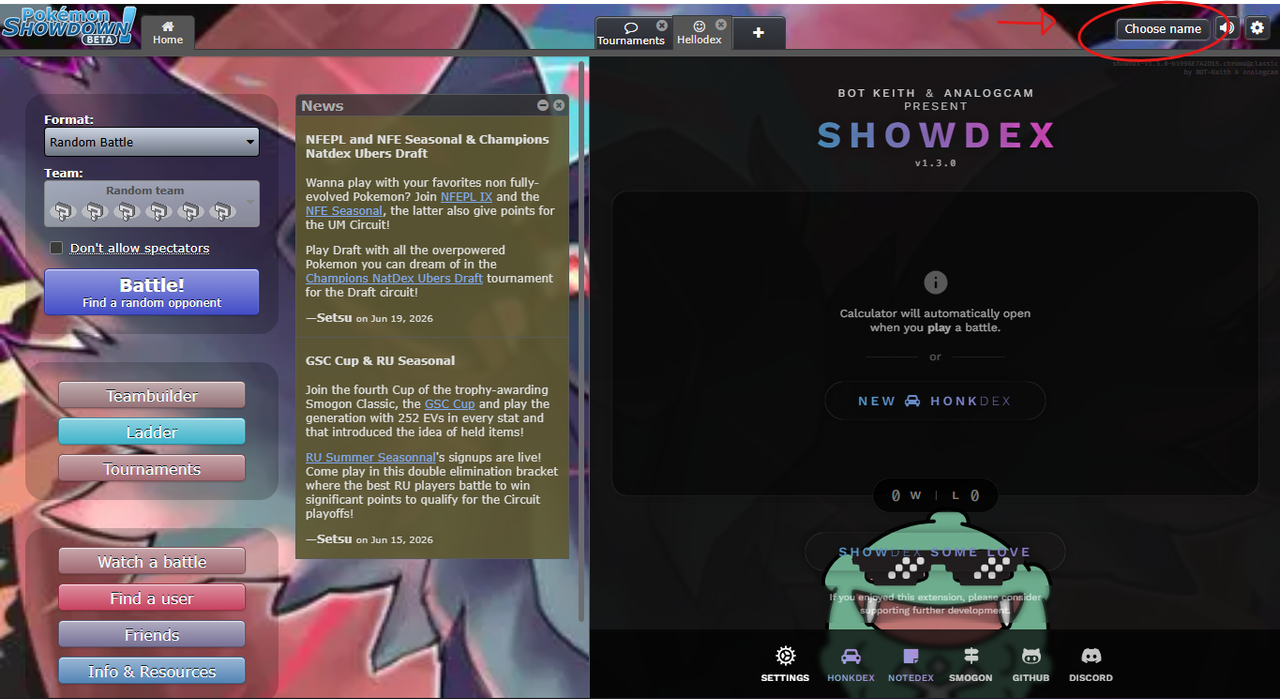
Click on it. Then, type in the username you want to use, and then the Password. If the username you chose is in use, it will try to sign in to their account, so chances are that you will get the password wrong. If the username is not in use, it will register that password to the username, and you will have an account.

I play on my laptop, so if the process is different for mobile, this might not work.

If this does work, then I look forward to battling you.

ago by
This answer missed the fact that you have to go to the settings to register (which is what my problem was)
I never had to go to settings to register my account. Maybe that's a newer thing they added after I made my account, but idk.